☀️ The Sunshine Cafe by Thip Ampa – A Cozy Café for Travelers
☀️ The Sunshine Cafe by Thip Ampa – A Cozy Café for Travelers
Rating: 4.9 • Coffee Shop • Open
The Sunshine Cafe by Thip Ampa is a charming roadside café located along one of Northern Thailand’s travel routes. It’s the perfect stop for travelers who want to take a break, recharge, and enjoy a cup of aromatic coffee along with light meals. The café is especially popular among those traveling on the Ban Tham – Chiang Muan route in Dok Khamtai District, Phayao Province.
Location & Atmosphere
The café is conveniently located opposite Ban Tham PTT Gas Station, right on the main Ban Tham–Chiang Muan road, making it easy to find and offering ample parking for travelers stopping by during their journey.
The atmosphere is relaxed and welcoming—ideal for enjoying freshly brewed coffee, tea, or a light meal before continuing your trip.
Open daily from 07:00 AM – 04:00 PM
☕️ Highlighted Menu
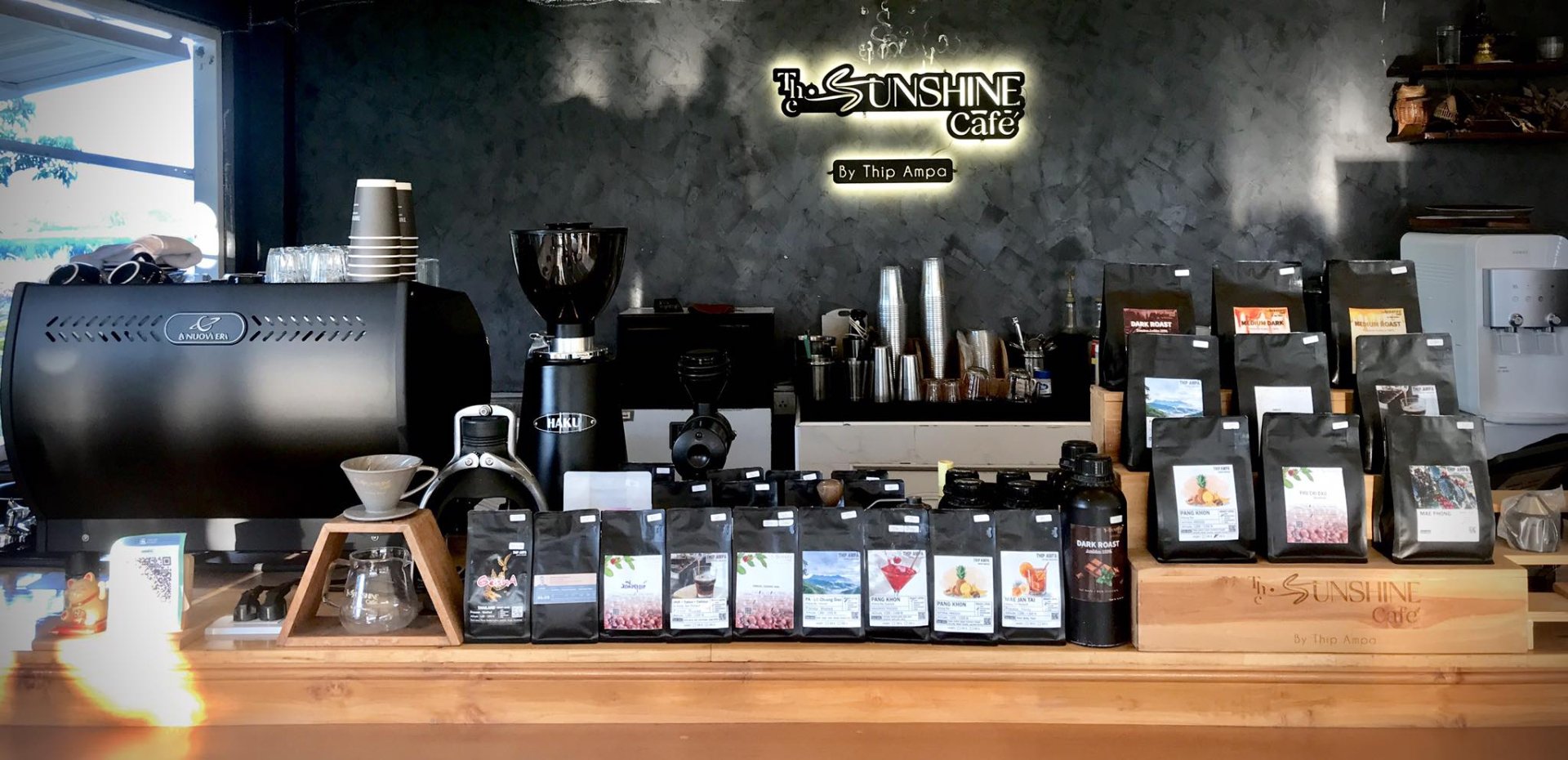
The Sunshine Cafe offers a variety of freshly brewed coffee drinks, along with food and desserts that suit both guests who want to sit and relax and travelers passing through the area.
Order Coffee Beans via GOGO SHOPPING
Great news for coffee lovers! ☕
The Sunshine Cafe by Thip Ampa now offers roasted coffee beans available for purchase on the GOGO SHOPPING app.
Even if you can’t visit the café in person, you can still enjoy their quality coffee at home by ordering directly through GOGO SHOPPING, an application that allows users to shop for products, beverages, and coffee beans from selected cafés with ease and convenience.
How to Order Coffee Beans from GOGO SHOPPING (Step by Step)
Even though the café is located in Phayao, you can easily order their coffee beans through the GOGO SHOPPING app by following these simple steps:
Step 1: Open the GOGO SHOPPING App
Download the app and log in using your phone number or registered account.
Step 2: Search for the Café
Go to the Search tab
Type “The Sunshine Cafe by Thip Ampa” or “Sunshine Cafe Coffee Beans”
Select the café from the search results
Step 3: Choose Your Coffee Beans
Select roasted coffee beans
Review details such as bag size, roast level, and flavor notes
Step 4: Add to Cart
Choose the quantity you want
Tap “Add to Cart”
Step 5: Review Your Cart
Double-check your order
Apply any available discount codes before checkout
Step 6: Make Payment
Select a payment method such as Credit/Debit Card, PromptPay Or other options available in the app
Confirm your order
Step 7: Receive Your Order at Home
Track delivery status directly in the app
Enjoy freshly roasted coffee beans delivered to your doorstep ☕
✅ Special Tips
✨ Ordering more than one bag may qualify for discounts or free shipping (depending on in-app promotions).
✨ Check customer reviews in the app to help you choose the most popular coffee beans.
Official Store Link (GOGO SHOPPING)
Shop now: https://www.thegogo.shop/share?sid=207
Download GOGO SHOPPING App
Order coffee beans anytime, anywhere
iOS:
https://apps.apple.com/app/gogo-shopping/id6738646696
Android:
https://play.google.com/store/apps/details?id=com.thegogo